Part correspondence
Compare part declarations, pin functions and numbered pads for one registered LDO and one LED. When evidence is missing, the result is held for review instead of guessed.
MCP1700T-3302E/TT · VLMS1300-GS08
Independent project · local tools in development
LoopLab develops local tools to check selected parts, compare declared changes and assess whether saved checks still match their inputs. Work is grounded in LDO/LED examples and a four-layer STM32 candidate, with human review at each decision.
Specific examples · local tools and prototypes · no hosted demo
Completed local work
Local tools with explicit inputs and a defined scope. Missing inputs, changed files and unsupported cases stay visible; a passing check does not approve a design for manufacturing.
Compare part declarations, pin functions and numbered pads for one registered LDO and one LED. When evidence is missing, the result is held for review instead of guessed.
MCP1700T-3302E/TT · VLMS1300-GS08
Compare a baseline with a candidate and check that only declared objects changed while frozen objects stayed intact. The read-only checker reports out-of-scope changes and input problems without editing the design.
Compare saved KiCad design files with BOM and placement data for part values, fitted parts, position and rotation. Matches, mismatches and missing evidence are reported separately.
Check whether saved ERC/DRC reports remain tied to the current design, project and recorded dependencies by SHA. Missing or stale evidence is reported explicitly. This check does not run KiCad again or grant stage approval.
Current stage
Evidence reviewed on 25 October 2026 · recorded results, not new hardware tests
LDO/LED part and manufacturing-data checks, declared PCB change checks and saved-evidence checks are implemented locally. A four-layer STM32 candidate has scoped component, routing and silkscreen improvements with recorded KiCad checks. Electrical performance is not measured.
Limited front-silkscreen checks and saved source/manufacturing-bundle checks have local prototype tests. The silkscreen checker reports preserved exceptions and unsupported cases, and is not in the shared template. A local handoff package reproduced the aggregation checks in two relocated folders; product API integration remains planned.
Hardware, manufacturing and LED polarity are not verified; customer value is not yet measured. No hosted demo or running product API integration yet.
Actual KiCad output
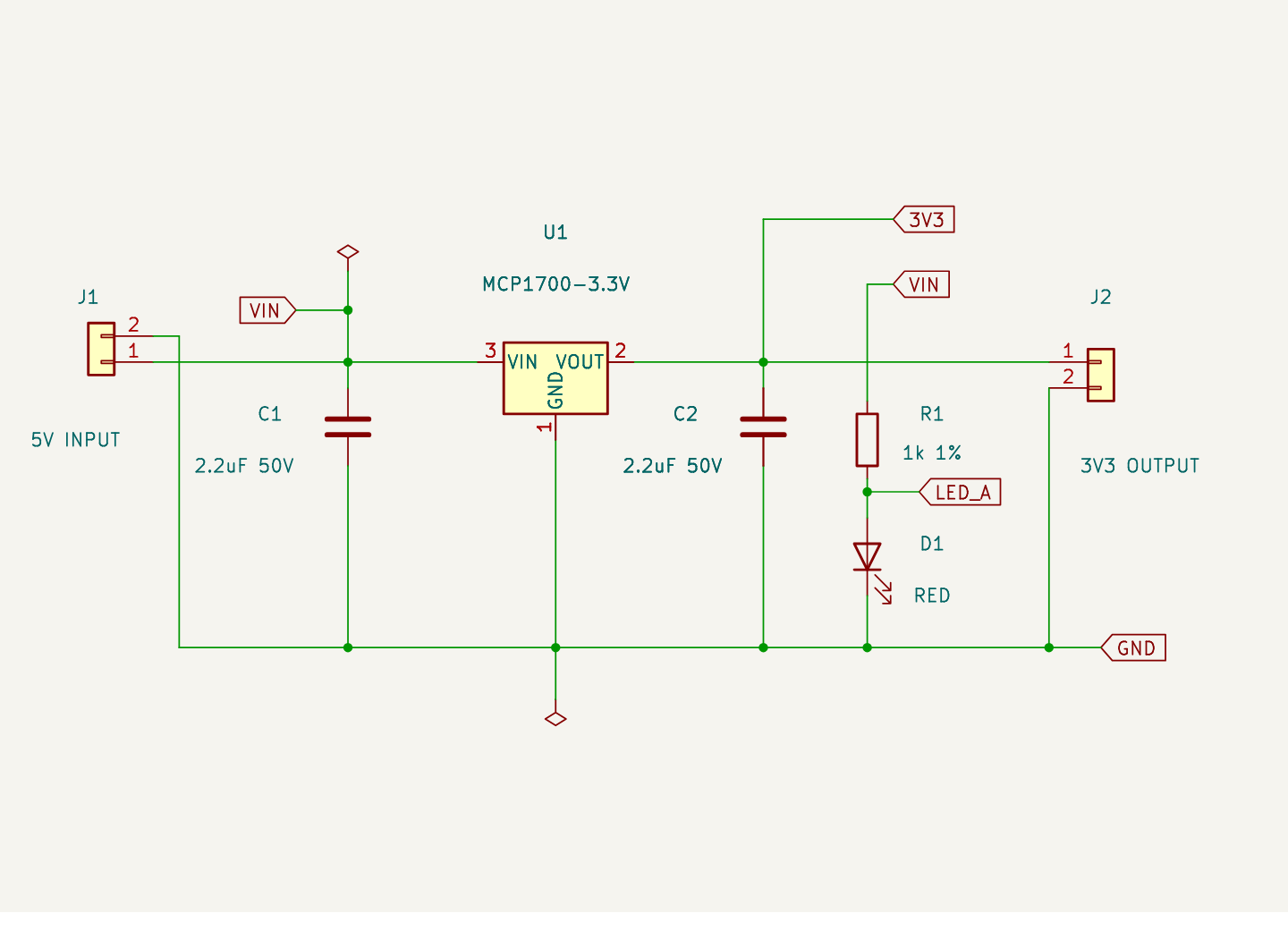
The schematic and PCB below belong to the same initial 5 V to 3.3 V LDO and LED example. A separate schematic-style example follows the check results.
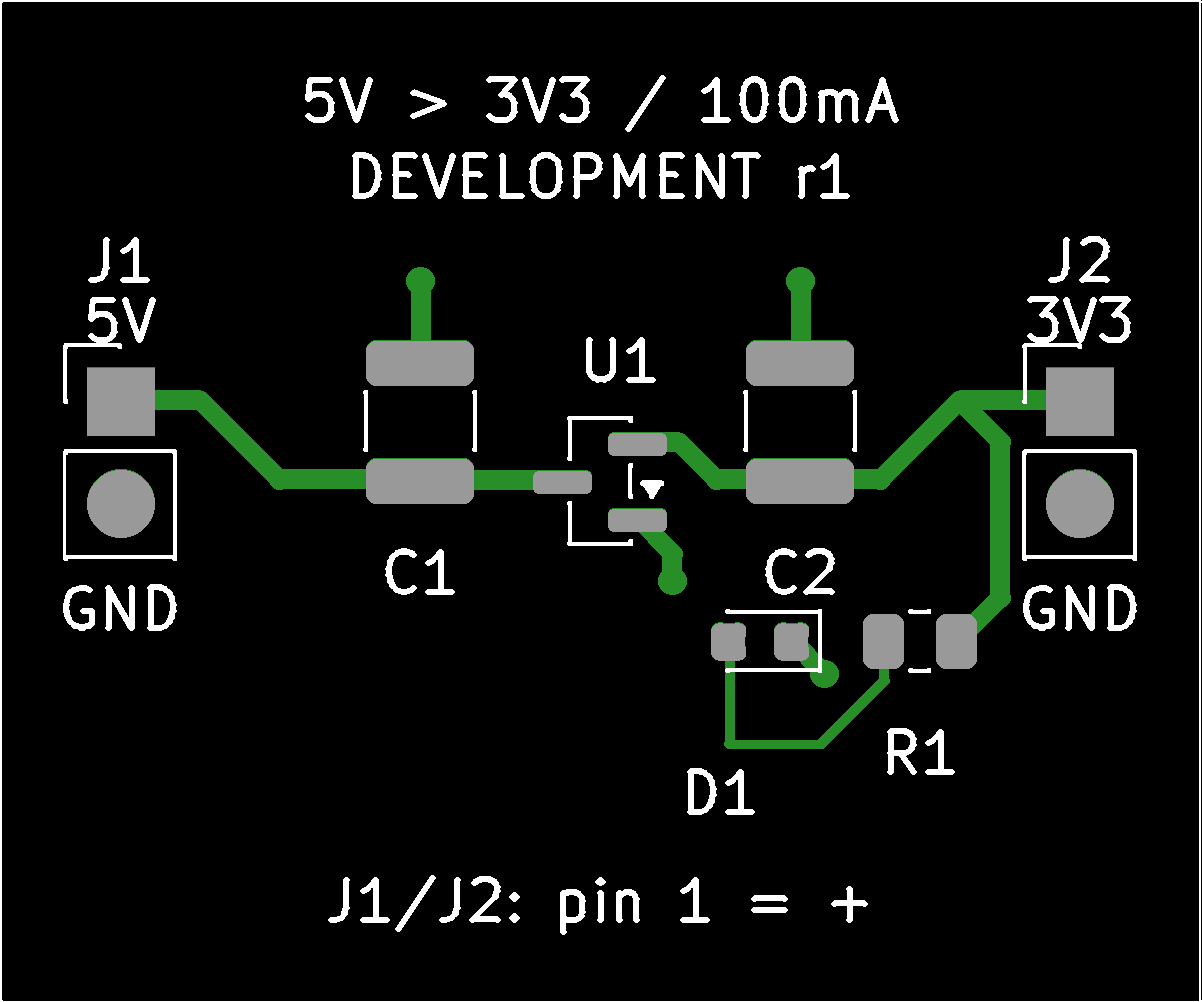
Recorded KiCad counts for the initial LDO and LED example only.
Zero violations or a completed test do not mean a design is correct or ready to manufacture. Expected test results include mismatches and held findings.
How local checks work
Before running a supported check, fix the example version, the registered part references and the allowed changes.
Read the saved files, compare supported values with the reference data, and record differences and missing information. Scoped changes are made only in copies.
Keep the original files
A person reviews mismatches, held findings and input or reference errors. KiCad check results are recorded separately from part and data comparisons.
Human design and manufacturing review
Customer discovery
We would like to hear from individual developers and small hardware teams who revise existing schematics or PCBs. A 15-minute chat or a few questions by email would help us understand recent tasks and current workarounds.
No design files or confidential details needed. This is an invitation to share your experience; no purchase is required.